









1 / 10 Questions
0 Points

Which Two Names Are Hidden In The M&M's Candy Logo?

Melts and Mouth

Mars and Murrie

Melt and Mix

Milk and Malt

Points won
0
Correct score
0%

More Quizzes

More Articles

Why Octopuses Have Three Hearts Instead of One

Why Octopuses Have Three Hearts Instead of One

Why Octopuses Have Three Hearts Instead of One

By Trivia Daily, Animals Desk — Published October 10, 2026

Table of Contents

Beneath the waves, octopuses navigate their ocean habitats with a circulatory system that seems almost alien. While most animals get by with a single heart, these remarkable creatures rely on three. This isn't biological excess—it's an elegant solution to the challenges of life as a soft-bodied marine predator. Understanding why octopuses have three hearts reveals how evolution crafts different answers to the same fundamental problem: delivering oxygen throughout the body.

The octopus cardiovascular system reflects the unique demands of an animal without bones, living in cold water, and capable of lightning-fast escapes from predators. Each heart serves a specific purpose, working in coordination to keep these intelligent invertebrates alive in diverse marine environments from shallow tide pools to the deep sea.

Key Takeaways

  • Octopuses possess three hearts: two branchial hearts that pump blood through the gills, and one systemic heart that circulates blood to the rest of the body.
  • Their blood uses copper-based hemocyanin instead of iron-based hemoglobin, making it blue and less efficient at oxygen transport in warm conditions.
  • The systemic heart stops beating when an octopus swims, which is why these creatures prefer crawling along the ocean floor to conserve energy.
  • This three-heart system compensates for the relatively poor oxygen-carrying capacity of hemocyanin compared to the hemoglobin found in vertebrate blood.
  • All octopus species share this three-heart anatomy, from the tiny Octopus wolfi to the giant Pacific octopus.

The Anatomy of the Octopus Three Hearts System

The two branchial hearts sit near each of the octopus's two gills. These specialized organs pump deoxygenated blood from the body into the gills, where it picks up oxygen from the surrounding seawater. Think of them as booster pumps, dedicated entirely to the respiratory system. After the blood absorbs oxygen in the gills, it flows to the systemic heart—the larger of the three.

The systemic heart takes over from there, pumping the now-oxygenated blood throughout the octopus's body to feed its eight arms, complex brain, and internal organs. This heart has more muscle than its branchial counterparts because it must generate enough pressure to push blood through the entire circulatory system. The division of labor makes sense: the branchial hearts handle the high-resistance work of forcing blood through gill capillaries, while the systemic heart manages broader distribution.

What makes this arrangement necessary? The answer lies in the octopus's unusual blood chemistry. Unlike vertebrates that use iron-based hemoglobin to transport oxygen, octopuses rely on hemocyanin, a copper-based molecule that dissolves directly in the blood plasma rather than being contained in red blood cells. Hemocyanin turns blue when oxygenated—which is why octopus blood appears bluish rather than red.

Why Copper Instead of Iron

Hemocyanin works better than hemoglobin in cold, oxygen-rich ocean water. It remains more efficient at low temperatures and maintains oxygen transport in the high-salt environment of seawater. But there's a significant trade-off. Hemocyanin carries oxygen less efficiently than hemoglobin under most conditions, binding only about one-fourth as much oxygen per volume of blood.

This inefficiency creates a problem. A single heart would struggle to pump enough copper-based blood fast enough to meet an octopus's oxygen needs, especially during periods of activity. The three-heart solution compensates for hemocyanin's limitations by creating a more powerful, specialized pumping system. The branchial hearts ensure blood spends adequate time in the gills absorbing oxygen, while the systemic heart maintains sufficient pressure to deliver that oxygen where it's needed.

The system works remarkably well in cold water. In warmer temperatures, however, hemocyanin becomes less effective at binding oxygen, which is one reason octopuses typically inhabit cooler marine environments or deeper waters where temperatures remain low.

The Swimming Paradox

Here's one of nature's curious quirks: when an octopus swims by jet propulsion—shooting water through its siphon—the systemic heart stops beating. Only the two branchial hearts continue working. This temporary shutdown happens because the swimming motion interferes with the systemic heart's function, likely due to the physical compression and movement of the body cavity.

Swimming without a fully functioning circulatory system is exhausting. An octopus can't maintain oxygen delivery to its tissues as effectively, which is why these animals tire quickly when swimming and prefer to crawl along the seafloor using their arms. Crawling keeps all three hearts beating steadily, maintaining efficient oxygen distribution. This behavior showcases how anatomy shapes wildlife habits—the three-heart system is powerful but comes with constraints that influence how octopuses move through their habitat.

When danger threatens and escape demands swimming, octopuses can manage short bursts of speed. But they pay for it with oxygen debt and fatigue. This is why you'll often see an octopus in nature walking more than swimming, conserving energy by keeping its circulatory system running at full capacity.

Comparing Circulatory Systems Across Species

Animal Number of Hearts Oxygen Carrier Blood Color
Octopus 3 Hemocyanin (copper-based) Blue
Humans 1 Hemoglobin (iron-based) Red
Earthworm 5 aortic arches (heart-like) Hemoglobin Red
Squid 3 Hemocyanin Blue
Hagfish 4 Hemoglobin Red

Intelligence Requires Oxygen

Octopuses rank among the most intelligent invertebrates on Earth. They solve puzzles, use tools, remember individual humans, and demonstrate complex problem-solving abilities. This brain power demands substantial energy. The nervous system of an octopus contains roughly 500 million neurons—comparable to a dog—with about two-thirds distributed throughout the arms rather than centralized in the brain.

Maintaining this distributed nervous system requires consistent oxygen delivery. The three-heart system supports the octopus's cognitive abilities by ensuring adequate blood flow to neural tissue throughout the body. Each arm can taste, touch, and react semi-independently, but only if properly supplied with oxygen and nutrients. The cardiovascular system makes this decentralized intelligence possible.

The relationship between heart anatomy and behavior extends beyond movement and cognition. Octopuses are ambush predators, capable of explosive strikes to capture prey like crabs, clams, and fish. These sudden bursts of activity demand rapid oxygen mobilization—another task the three-heart system handles effectively when the animal isn't swimming.

Frequently Asked Questions

Do all octopus species have three hearts?

Yes, all octopus species possess three hearts regardless of size or habitat. This anatomical feature is universal across the roughly 300 known octopus species, from tiny specimens measuring just an inch across to giant Pacific octopuses with arm spans exceeding 15 feet.

What happens if one of an octopus's hearts stops working?

If a branchial heart fails, the octopus would struggle to oxygenate blood through that gill, severely limiting oxygen intake. If the systemic heart fails, the animal cannot circulate oxygenated blood to its body and would not survive. All three hearts are essential for normal function.

Why don't other marine animals have three hearts?

Most marine animals use hemoglobin rather than hemocyanin, which transports oxygen more efficiently and doesn't require the additional pumping power. Fish, for example, have a two-chambered heart that works well with their gills and hemoglobin-based blood. The three-heart system evolved specifically to address the challenges of using hemocyanin.

Can octopuses survive in warm water with their three hearts?

Octopuses can tolerate moderately warm water, but their hemocyanin becomes less efficient at higher temperatures, making oxygen transport more difficult. Most octopus species prefer cooler waters where their copper-based blood chemistry works optimally. Warming ocean temperatures due to climate change pose challenges for these creatures.

The next time you encounter an octopus—whether in an aquarium or a nature documentary—remember that three hearts pulse within that boneless body, each beat a testament to evolution's creative problem-solving. This creature doesn't just survive with blue blood and triple hearts; it thrives, demonstrating that there's more than one way to build a successful predator in the ocean's vast expanse.
How the QWERTY Keyboard Was Designed to Slow You Down

How the QWERTY Keyboard Was Designed to Slow You Down

⏱️ 10 min read

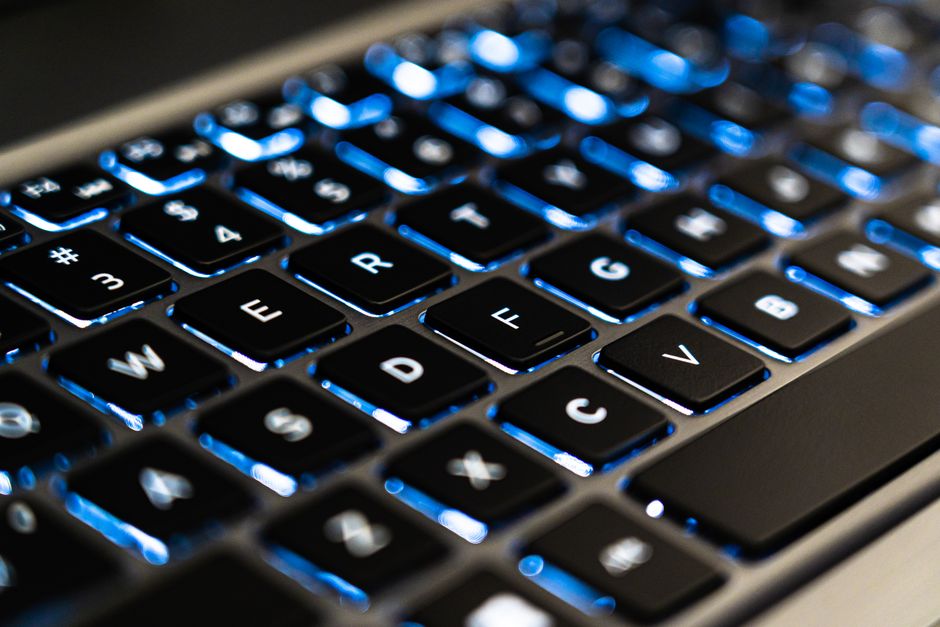
Every time your fingers dance across a keyboard, you're using a layout that was patented in 1878—and according to popular legend, it was deliberately engineered to make you type slower. The story goes that early typewriter manufacturers faced a mechanical problem: fast typists caused the metal arms inside their machines to jam, so they scattered common letters across the keyboard to force a slower pace. But like many tales that sound too clever to be false, the truth behind the QWERTY keyboard is far more nuanced than this simple narrative suggests.

Quick Facts

  • Christopher Latham Sholes patented the QWERTY layout in 1878 after years of experimentation with different letter arrangements.
  • The original Sholes & Glidden typewriter placed commonly paired letters apart to reduce mechanical jams, not to slow typists down.
  • Telegraph operators testing early prototypes influenced the layout by requesting specific letter placements for Morse code efficiency.
  • The Dvorak Simplified Keyboard, designed in 1936, can increase typing speed by 5-20% but never displaced QWERTY.
  • Modern computer keyboards retain QWERTY purely due to established user familiarity, not mechanical constraints.

The Mechanical Origins of an Accidental Design

Christopher Latham Sholes, a newspaper editor and inventor from Milwaukee, Wisconsin, began developing his typewriter in 1867 alongside Carlos Glidden and Samuel Soule. His earliest models arranged keys alphabetically in two rows, a logical choice that would prove mechanically disastrous. When typists built up speed, the metal type-bars—long arms that swung up to strike the ribbon against paper—would collide and tangle if struck in rapid succession, particularly when typing common letter combinations.

Sholes spent the next six years methodically rearranging keys through trial and error. His goal wasn't to slow typists universally, but to separate frequently paired letters in English. By 1873, he had developed a layout that placed common digraphs (two-letter combinations like "th," "he," and "er") on opposite sides of the keyboard or at sufficient distance to allow the type-bars time to fall back into position. The letter "E," the most common in English, ended up under the left middle finger, while "T" sat under the left index finger—positions that actually facilitated speed for the alternating-hand typing pattern that would develop.

One specific adjustment came from telegraph operators in Pennsylvania who tested Sholes' prototypes. They requested that the letters in "TYPE WRITER" be placed on the top row so salesmen could quickly demonstrate the machine by pecking out its own name—a marketing consideration that left a permanent mark on keyboard history. This is why Z, X, C, and other less common letters ended up in the bottom row, while Q and W occupy prime real estate despite their relative rarity.

The Business Deal That Locked in QWERTY Forever

In 1873, Sholes sold his patent rights to the Remington company, a firearms manufacturer looking to diversify after the Civil War. Remington refined his design and released the Remington No. 1 in 1874, followed by the more successful Remington No. 2 in 1878—the first typewriter to include both upper and lowercase letters via a shift key. By 1890, Remington had established itself as the dominant typewriter manufacturer, and thousands of typists had learned the QWERTY layout through touch-typing courses.

The true genius—or curse—of QWERTY came from this early market dominance. Once typing schools standardized on Remington machines, competing manufacturers faced a choice: create a potentially superior layout and force customers to retrain, or adopt QWERTY and make their machines compatible with the existing labor pool. Economics won. By 1893, the five largest typewriter manufacturers had all adopted variations of QWERTY, cementing what economists now call "path dependence"—when an early decision locks in future options regardless of better alternatives.

The Myth of Deliberate Slowdown Versus Historical Reality

The notion that QWERTY was designed to slow typists down gained traction in the 1990s, spread through business books and technology articles as a cautionary tale about inferior standards winning through historical accident. The reality documented in Sholes' patent records and correspondence reveals a more subtle story. Sholes wanted to prevent jams, not reduce speed—a critical distinction. His layout separated problem letter pairs while still keeping many common letters under the strongest fingers.

Ergonomic analysis reveals that QWERTY places approximately 56% of keystrokes on the home row (the middle row where fingers rest), with common letters like A, S, D, F distributed for the left hand and J, K, L for the right. Compare this to an alphabetical layout, which would scatter high-frequency letters inefficiently. Research by Kyoto University in 2011 using high-speed cameras found that experienced QWERTY typists actually achieve remarkable efficiency through muscle memory, with top speeds exceeding 150 words per minute—hardly the mark of a deliberately crippled system.

The persistence of jamming on early typewriters had more to do with typing technique than layout. Before the formal development of touch typing in the 1880s by Frank Edward McGurrin, most operators used the "hunt-and-peck" method with two fingers, making jams less frequent regardless of layout. Once touch typing became standard, typists learned to slightly delay certain key combinations intuitively, adapting human behavior to mechanical constraints.

Alternative Keyboard Layouts and Why They Failed

In 1936, Dr. August Dvorak and his brother-in-law William Dealey patented the Dvorak Simplified Keyboard after extensive time-and-motion studies. Their layout placed all vowels (A, O, E, U, I) under the left hand on the home row and the most common consonants (D, H, T, N, S) under the right hand. Dvorak's research claimed his layout reduced finger travel by 50% compared to QWERTY and placed 70% of keystrokes on the home row versus QWERTY's 56%.

Studies conducted by the U.S. Navy in 1944 showed that retraining typists on Dvorak keyboards increased their speed and accuracy, with the Navy concluding the benefits would justify switching costs. Yet Dvorak never gained more than 1-2% market adoption. The problem wasn't performance—it was the installed base. By the 1930s, millions of people had learned QWERTY, typewriter manufacturers had tooled their factories for it, and the coordination problem proved insurmountable. Any individual business switching to Dvorak would face hiring difficulties and compatibility issues with suppliers and customers.

Other alternatives like the Colemak layout (2006) and the Workman layout (2010) have emerged in the computer age, each promising ergonomic benefits and easier learning curves for QWERTY users. Colemak changes only 17 keys from QWERTY and keeps common shortcuts like Ctrl+Z, Ctrl+X, Ctrl+C in the same positions. Despite these refinements and the complete absence of mechanical constraints in digital keyboards, QWERTY's dominance remains essentially absolute, controlling an estimated 99% of the English-language keyboard market.

How Typing Technique Evolved to Overcome Layout Limitations

The development of formal touch-typing methodology transformed QWERTY from a mechanical compromise into a high-performance system. Frank Edward McGurrin, a court stenographer from Salt Lake City, developed the touch-typing method in the early 1880s, memorizing key positions to type without looking at the keyboard. In 1888, he won a widely publicized typing contest in Cincinnati, defeating Louis Taub who used the hunt-and-peck method on a theoretically superior Caligraph keyboard with a more logical layout.

McGurrin's victory demonstrated that technique mattered more than layout, a principle that led to the establishment of typing schools across America. By 1910, touch typing was the standard method taught to secretarial students, with curricula built entirely around QWERTY. The home-row position (left fingers on A-S-D-F, right on J-K-L-semicolon) became muscle memory for millions, creating neural pathways so deeply ingrained that experienced typists often cannot verbally state where specific letters are located—they simply know through finger position.

Modern research using electromyography (EMG) to measure muscle activation has shown that expert QWERTY typists distribute workload across both hands almost evenly despite the layout's quirks. The alternating-hand pattern for common words like "the," "and," and "for" creates a rhythm that many typists find natural. World speed records on QWERTY keyboards now exceed 220 words per minute, achieved by Barbara Blackburn in 2005, proving that human adaptability can extract remarkable performance even from historically constrained designs.

The Economic Lock-In That Defines Modern Computing

When computer keyboards emerged in the 1970s, manufacturers faced zero mechanical constraints in choosing a layout. IBM could have introduced any arrangement of keys when designing the keyboard for its personal computers. Yet the IBM Model F keyboard, released in 1981 alongside the original IBM PC, featured standard QWERTY. The decision wasn't about hardware—it was about the software of human memory. An estimated 300 million people worldwide could already touch-type on QWERTY, representing an enormous sunk investment in training.

This network effect creates what economists call "switching costs" that go far beyond individual preference. Organizations considering alternative layouts must account for reduced productivity during retraining, incompatibility with existing equipment, difficulties in hiring, and the simple fact that workers might resist change to a skill they've spent years perfecting. A 2013 analysis by researchers at Cornell University calculated that even if an alternative layout offered a 10% efficiency improvement, the switching costs for a typical office would take 8-12 years to recoup through productivity gains.

Smartphones and touchscreens offered another opportunity to escape QWERTY's gravity, and some mobile keyboards experimented with alternative layouts optimized for thumb typing. Yet Apple's iPhone, introduced in 2007, featured a virtual QWERTY keyboard, and Android followed suit. User testing revealed that even with no prior touchscreen experience, people overwhelmingly preferred QWERTY because it matched their mental model of what a keyboard should look like. The layout has transcended its mechanical origins to become a cultural artifact, as recognizable and standardized as the order of letters in the alphabet itself.

Frequently Asked Questions

Was the QWERTY keyboard really designed to slow down typists?

No—QWERTY was designed to prevent mechanical jams by separating frequently paired letters, not to deliberately reduce typing speed. Sholes wanted to enable faster, more reliable typing by solving a mechanical problem, and his layout actually positioned many common letters efficiently for alternating-hand typing patterns.

Can you type faster on a Dvorak keyboard than on QWERTY?

Most studies show trained Dvorak users type 5-20% faster with less finger movement and reduced fatigue. However, the speed difference matters less than the enormous retraining time required—typically 25-50 hours to reach previous QWERTY speeds, making the switch impractical for most people despite potential long-term benefits.

Why do computers still use QWERTY if there's no mechanical reason?

Computers retain QWERTY because of network effects and switching costs—hundreds of millions of people have already learned it, creating a self-reinforcing cycle. Any individual or organization switching to an alternative layout would face compatibility and hiring problems, making QWERTY an economic lock-in rather than a technical necessity.

What's the fastest typing speed ever recorded on a QWERTY keyboard?

Barbara Blackburn holds the Guinness World Record at 212 words per minute average over 50 minutes, with a peak speed of 216 wpm. The fastest single-minute burst on record is 227 wpm by Stella Pajunas in 1946, demonstrating that QWERTY doesn't inherently limit speed for highly trained typists.

Key Takeaways

  • QWERTY emerged from a mechanical engineering solution to type-bar jams, not from a deliberate strategy to slow typists—Sholes separated frequently paired letters while maintaining efficiency for alternating-hand typing.
  • The layout became locked in through economic path dependence once millions learned it and businesses standardized training, creating switching costs that outweigh the performance benefits of alternatives like Dvorak.
  • Human adaptability through touch-typing technique has transformed QWERTY into a high-performance system despite its historical compromises, with world records exceeding 220 words per minute.
  • Even without mechanical constraints, modern digital keyboards retain QWERTY because the installed base of trained users creates network effects that make alternatives economically impractical regardless of ergonomic advantages.